Emergency hard drive recovery for PCs
Have you got a corrupt hard drive or one that no longer mounts? Do you need to recover files that have been deleted? If so, Data Rescue 3 may be able to help.
Top Recommended Alternative

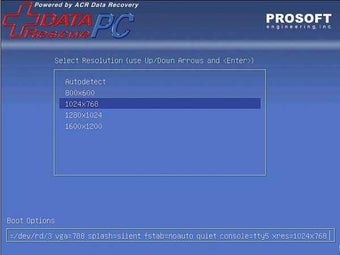
Data Rescue allows you to rescue a damaged hard drive and backup the recovered files to either an internal or external hard drive (USB or FireWire), removable media device (such as a Zip or MO) or a networked drive.Alternatively, an optional emergency bootable DVD option is available.
Data Rescue can recover any type of file and can even work if a drive only partially operates. It could be especially useful if you need to recover digital pictures from a camera memory card even after it has been erased or reformatted.
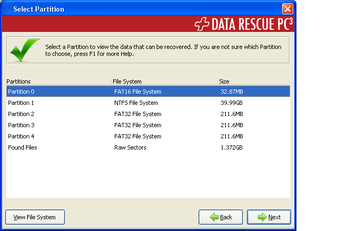
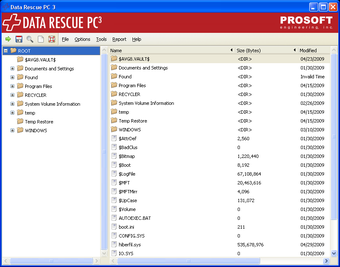
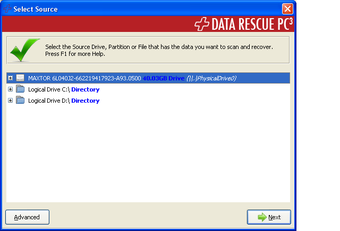
The interface of Data Rescue is very easy to use and well designed. It takes you through three steps - drive selection, analysis and recovery. You can preview files before recovery which is useful since it stops you having to go through the time consuming process of recovery if the files aren't the correct ones you want to recover. However, although the developers make some bold claims about how much it can recover, you may find it's far from perfect and won't be able to help in all circumstances.
Data Rescue is definitely worth a try if all else has failed at recovering a hard drive.
Runs natively as 64-bit on supported machines in Snow Leopard New Welcome window for easier access to suspended and completed scans Improvements to the Workspace and Home Folder workflows: now simpler to understand and use New Expert feature for erasing any drive or volume to HFS+ Added contextual menu to Details View for quick access to common features Improved recovery of InDesign, PEF raw image, TIFF and AVI files, for certain cases Added support for recovering certain ORF raw images A number of additional file types with no, or non-standard, extensions can now be previewed. DMG files with no partition table can now be found and recovered. Some improvements were made to improve Deep Scan results, in some cases. Some optional additional file browser columns may be shown by right-clicking on the table columns header. Fixes: Catalog files with more than 8 fragments would sometimes be recovered incorrectly. Activation while launched from a read-only volume wouldn't be applied correctly Erase wasn't working on 10.4 Erased drives wouldn't show up in the source selection screen, sometimes causing unnecessary warnings to be displayed Erase wouldn't work on a volume that was mounted while the open dialog was active Crash when attempting to erase a drive that just disconnected Rare crash when a device is disconnected Minor incompatibilities with the software update feature on 10.4 Several usability enhancements to Set Drive/Volume Params. Arenas weren't rendering properly on Snow Leopard User interface preferences are now properly stored in the Home Folder for when booted off the DVD Fixed some bugs related to running the application on a secondary monitor Improved performance and stability while browsing scan results Analyze sometimes crashed just when finishing. When unmarking many nodes when quitting, the UI would seem to hang and show the beach ball. Some miscellaneous sources of memory leaks and potential crashes were fixed.